
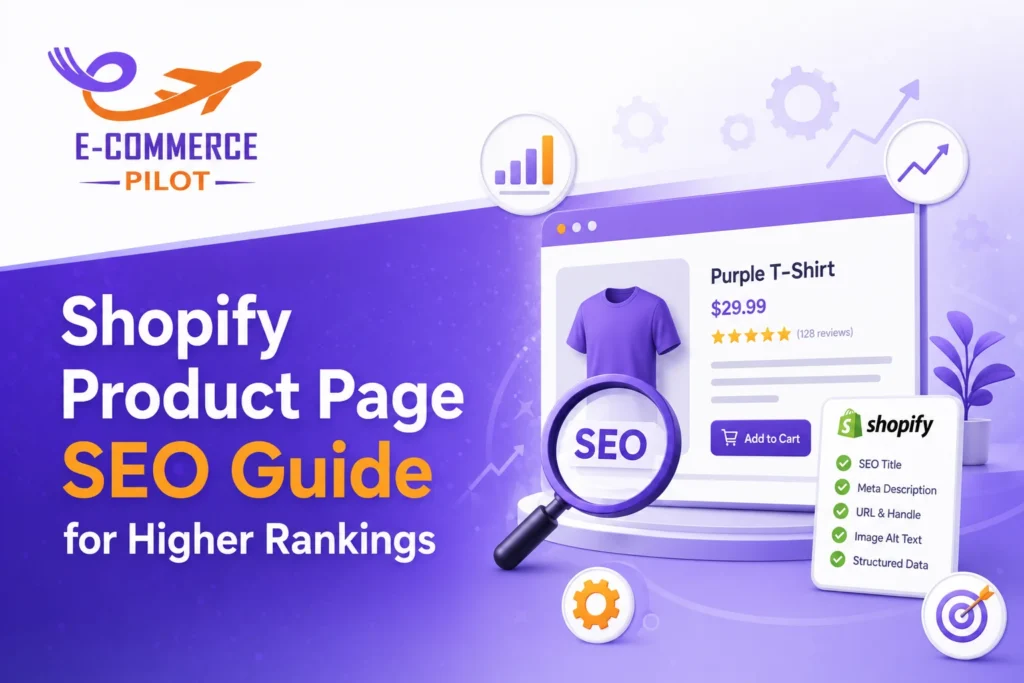
A strong Shopify Product Page SEO Guide helps ecommerce stores rank higher, attract targeted traffic, and increase product sales. Product pages often decide whether shoppers buy or leave. Therefore, every SEO element must support visibility and user intent.
Many Shopify store owners focus only on product images and pricing. However, search engines also evaluate meta tags, keyword placement, page structure, schema markup, and internal linking. When these areas work together, product pages gain better search visibility and stronger click-through rates.
This guide explains how to optimize Shopify product pages with the right meta tags, keywords, and schema setup. Moreover, it covers technical SEO, image optimization, and content structure for better ecommerce performance.
What Is Shopify Product Page SEO?
Shopify product page SEO refers to the process of optimizing product pages for search engines and shoppers. It improves how products appear in Google results while helping users find accurate information quickly.
Proper optimization includes:
- Keyword placement
- SEO-friendly product titles
- Meta descriptions
- Structured data
- Internal links
- Optimized images
- Fast loading speed
As a result, optimized product pages gain more organic traffic and better conversion rates.
Shopify Product Page SEO Guide for Keyword Research
Keyword research forms the foundation of ecommerce SEO. Without relevant keywords, product pages struggle to rank for buyer searches.
Find Buyer Intent Keywords
Use keywords that shoppers actually search before making a purchase. For example:
- running shoes for men
- wireless gaming mouse
- organic skincare products
These phrases show clear purchase intent. Therefore, they attract visitors who are ready to buy.
Use Long-Tail Keywords
Long-tail keywords improve ranking opportunities because competition stays lower. They also bring targeted traffic.
Examples:
- lightweight hiking backpack for travel
- waterproof bluetooth speaker for outdoor use
Place Keywords Naturally
Search engines prefer natural keyword usage. Add keywords in:
- Product title
- URL slug
- Meta title
- Meta description
- Product description
- Image alt text
- H2 and H3 headings
Avoid keyword stuffing because it reduces readability and harms rankings.
Shopify Meta Tags Optimization for Product Pages
Meta tags help search engines understand page content. At the same time, they influence click-through rates from search results.
Write SEO-Friendly Meta Titles
A product meta title should:
- Include the focus keyword
- Stay under 60 characters
- Explain the product clearly
Example:
“Leather Travel Backpack | Lightweight & Durable”
Create Clear Meta Descriptions
Meta descriptions should encourage clicks while summarizing the product accurately.
A good meta description:
- Includes the target keyword
- Stays under 160 characters
- Uses action-focused language
Additionally, strong meta descriptions improve organic CTR.
Avoid Duplicate Meta Tags
Duplicate titles and descriptions confuse search engines. Therefore, every Shopify product page should have unique metadata.
Shopify Product Titles and URLs for Better SEO
Product titles affect both rankings and user engagement. Clear titles improve search relevance and help shoppers understand the product quickly.
Use Keyword-Rich Product Titles
Instead of:
“Premium Bag”
Use:
“Premium Leather Laptop Bag for Men”
This structure provides better keyword relevance and stronger search visibility.
Create SEO-Friendly URLs
Short URLs work better for both users and search engines.
Good URL:
yourstore.com/products/leather-laptop-bag
Bad URL:
yourstore.com/products/item-4587-category-final
Clean URLs improve readability and indexing.
Shopify Product Description SEO Best Practices
Product descriptions should help shoppers make buying decisions. At the same time, they should support SEO goals.
Write Unique Product Descriptions
Many Shopify stores copy manufacturer descriptions. However, duplicate content weakens rankings.
Instead:
- Explain product benefits
- Use simple language
- Add product specifications
- Mention use cases
Add LSI Keywords Naturally
LSI keywords support topical relevance.
For example, a product page for hiking shoes may include:
- outdoor footwear
- trail running shoes
- waterproof trekking shoes
These related terms help search engines understand page context.
Improve Readability
Use:
- Short paragraphs
- Bullet points
- Subheadings
- Clear formatting
As a result, users stay longer on the page.
Image Optimization in Shopify Product Page SEO
Images affect both user engagement and page speed. Therefore, image optimization remains essential.
Optimize Image File Names
Instead of:
IMG0023.jpg
Use:
black-running-shoes-men.jpg
Descriptive file names improve image SEO.
Use Keyword-Focused Alt Text
Alt text helps search engines understand images.
Example:
“Black running shoes for men with lightweight sole”
Compress Images
Large images slow down Shopify stores. Therefore, compress files before uploading them.
Fast-loading pages improve rankings and reduce bounce rates.
Shopify Product Page Schema Markup Done Right
Schema markup gives search engines structured information about products. It also helps pages appear in rich results.
Important Schema Types
Product Schema
Displays:
- Product name
- Price
- Availability
- Ratings
Review Schema
Shows customer ratings directly in search results.
FAQ Schema
Adds frequently asked questions below search listings.
Why Schema Matters
Schema markup improves visibility and increases click-through rates. Furthermore, rich snippets make product pages stand out in search results.
Common Schema Mistakes
Avoid:
- Missing price data
- Incorrect availability status
- Broken review markup
- Invalid structured data
Always test schema using Google Rich Results Test.
Technical Shopify Product Page SEO Tips
Technical SEO improves crawling, indexing, and overall site performance.
Improve Mobile Friendliness
Most ecommerce traffic comes from mobile devices. Therefore, Shopify product pages must work smoothly on smaller screens.
Increase Page Speed
Slow pages hurt rankings and conversions.
To improve speed:
- Compress images
- Remove unused apps
- Use lightweight themes
- Enable browser caching
Fix Duplicate Content
Shopify sometimes creates duplicate URLs through collections. Canonical tags help search engines identify the preferred version.
Internal Linking Strategies for Shopify Product Pages
Internal links improve crawlability and help users explore related products.
Link Related Products
Related product links increase session duration and encourage additional purchases.
Add Collection Links
Collection pages organize products effectively. Moreover, they support category-based keyword rankings.
Use Contextual Internal Links
Add natural links inside descriptions and blog content to connect related products.
Common Shopify Product Page SEO Mistakes to Avoid
Many stores lose rankings because of avoidable SEO errors.
Common mistakes include:
- Keyword stuffing
- Duplicate descriptions
- Missing meta tags
- Slow-loading pages
- Poor image optimization
- Broken schema markup
Fixing these issues improves both visibility and user engagement.
Final Thoughts on Shopify Product Page SEO
This Shopify Product Page SEO Guide shows how proper optimization improves search visibility and ecommerce growth. Strong meta tags, accurate keyword placement, optimized product descriptions, and schema markup all support higher rankings.
At the same time, technical SEO and internal linking help Shopify stores stay competitive in search results. Consistent optimization brings better traffic quality, stronger engagement, and more conversions over time.
If you want long-term ecommerce SEO growth, product page optimization should remain a top priority.
Need product pages that rank and convert? Get professional Shopify SEO services built for ecommerce growth.