
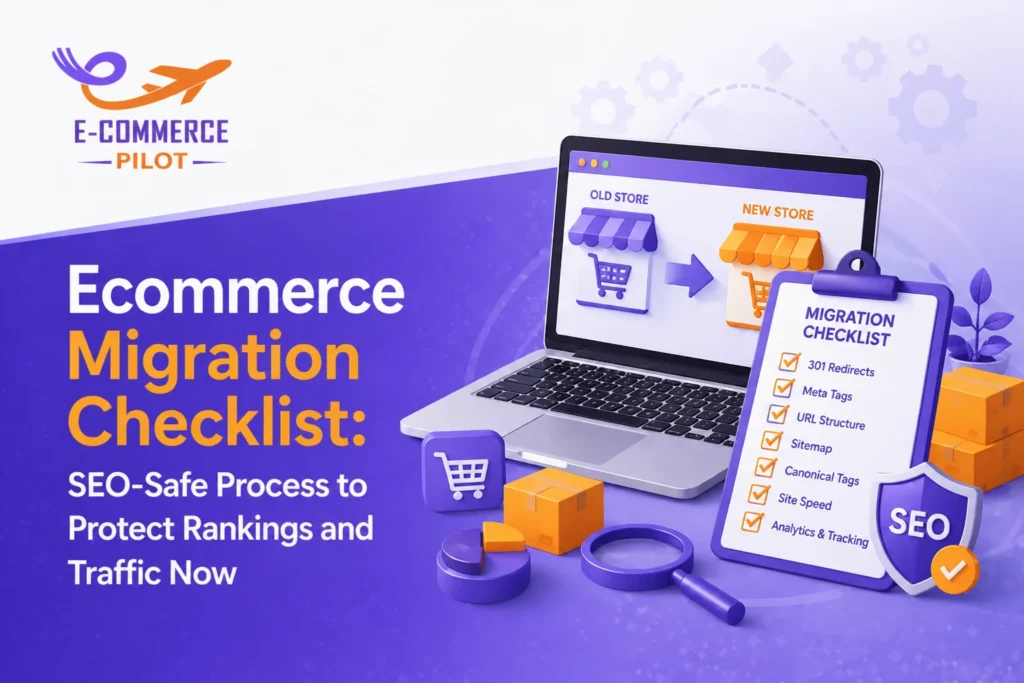
An ecommerce migration checklist helps you move your store without losing rankings or traffic. When you change your platform, domain, or design, search engines react quickly. Therefore, a structured SEO-safe process becomes necessary to protect visibility and revenue. Many businesses lose traffic due to poor planning, but a clear checklist keeps everything under control. This guide explains each step so you can handle migration with confidence.
What Is Ecommerce Migration and Why SEO Matters
Ecommerce migration refers to moving your website to a new platform, domain, or structure. It may involve design updates, URL changes, or backend improvements. However, every change affects how search engines crawl and index your site.
If you ignore SEO during migration, rankings can drop. As a result, traffic decreases and sales follow the same trend. On the other hand, a proper strategy helps maintain your search visibility. So, focusing on SEO from the start is critical.
Ecommerce Migration Checklist Overview
An ecommerce migration checklist ensures that nothing gets missed during the process. It divides tasks into three clear phases: pre-migration, migration, and post-migration. Each phase plays a role in protecting rankings.
Without a checklist, teams often forget redirects or metadata. Consequently, search engines fail to understand the new structure. A detailed plan keeps your workflow organized and reduces risks.
Pre-Migration SEO Checklist for Ecommerce Websites
Conduct a Full SEO Audit Before Migration
Start by reviewing your current SEO performance. Identify high-ranking pages and top keywords. Also, track organic traffic sources and conversions. This data helps you protect valuable pages during migration.
At the same time, document everything. So, you can compare performance after launch.
Crawl Your Existing Ecommerce Website
Use a crawling tool to extract all URLs. This step helps you understand your website structure. Moreover, it highlights broken links and duplicate pages.
Fixing these issues before migration improves results. Otherwise, problems may carry forward to the new site.
Backup Your Website Data
Always create a complete backup of your website. Include files, databases, and media content. If something goes wrong, you can restore your site quickly.
Although backups seem basic, they prevent major losses. Therefore, never skip this step.
Keyword Mapping and URL Mapping Strategy
Map old URLs to new ones carefully. Each page should have a relevant destination. In addition, keep search intent consistent across pages.
If URLs change without mapping, rankings drop. So, a proper mapping strategy is essential for SEO safety.
Technical SEO Migration Checklist for Ecommerce Sites
Set Up a Staging Environment
A staging site allows you to test changes before going live. It helps detect errors early. However, block search engines from indexing it.
Otherwise, duplicate content issues may occur.
Maintain Site Structure and URL Consistency
Try to keep URLs similar to the old version. Clean and simple URLs perform better in search results. Also, avoid unnecessary changes.
Consistency helps search engines understand your new site faster.
Implement 301 Redirects Properly
Set up 301 redirects from old URLs to new ones. This step passes link equity and preserves rankings.
At the same time, avoid redirect chains. They slow down crawling and affect performance.
Optimize Site Speed and Performance
Page speed directly affects SEO and user behavior. Compress images and reduce script size. Also, use caching to improve loading time.
Faster websites keep users engaged. Therefore, performance should remain a priority.
On-Page SEO Checklist During Migration
Transfer Meta Titles and Descriptions
Ensure all meta titles and descriptions move to the new site. These elements influence click-through rates.
If needed, update them for better optimization. However, do not remove existing value.
Preserve Content and Product Descriptions
Keep your content intact during migration. Product descriptions, blogs, and category pages should remain consistent.
Content loss can reduce rankings. So, always verify that everything transfers correctly.
Optimize Internal Linking Structure
Update internal links to match new URLs. Broken links create a poor user experience.
In addition, they affect crawling efficiency. Fix them early to maintain site health.
Post-Migration SEO Checklist to Protect Rankings
Test Website After Migration
After launch, test all pages carefully. Check redirects, navigation, and loading speed.
If issues appear, fix them immediately. Quick action prevents long-term damage.
Submit Updated Sitemap to Search Engines
Generate a new XML sitemap and submit it to search engines. This step helps them discover your updated pages faster.
Also, remove outdated sitemaps to avoid confusion.
Monitor Rankings and Traffic Changes
Track keyword rankings and organic traffic daily. Use analytics tools to identify trends.
Small fluctuations are normal. However, major drops require investigation.
Fix Crawl Errors and Indexing Issues
Check for crawl errors in search console. Resolve 404 pages and indexing problems quickly.
Search engines rely on clean signals. Therefore, error-free pages perform better.
Common Ecommerce Migration SEO Mistakes to Avoid
Many businesses skip redirect planning. As a result, they lose valuable traffic. Some forget to transfer metadata, which reduces visibility.
Others block search engines by mistake. In addition, poor testing leads to broken pages. Avoid these issues by following a structured checklist.
Tools for a Successful Ecommerce Migration
Use SEO tools to audit your site. Crawling tools help extract URLs and detect errors. Analytics platforms track performance changes.
Page speed tools also provide insights into loading time. Together, these tools support a smooth migration process.
Ecommerce Migration Tips to Minimize SEO Risk
Plan your migration during low-traffic periods. This reduces the impact of temporary fluctuations.
Communicate clearly with your team. Everyone should understand their role. Also, monitor performance daily after launch.
Keep a backup ready at all times. So, you can recover quickly if needed.
Final Thoughts on Ecommerce Migration Checklist
An ecommerce migration checklist keeps your SEO safe during major changes. It ensures that every step gets proper attention. While migration involves risks, careful planning reduces them.
If you follow this checklist, you can protect rankings and maintain traffic. In the long run, your site stays stable and continues to grow.
Don’t risk your traffic—let our experts handle your ecommerce migration with precision.