
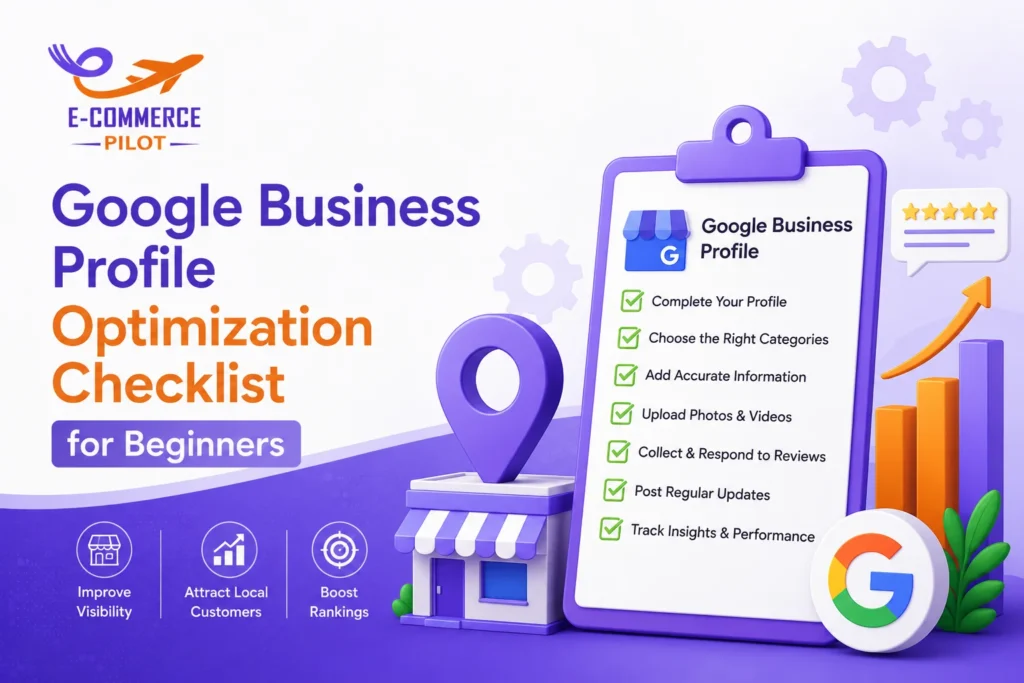
A well-optimized Google Business Profile Optimization can help local customers find your business faster. This is why following a Google Business Profile Optimization Checklist is important for every beginner. A complete profile improves visibility in local search results. It also helps businesses appear more often on Google Maps.
Moreover, an optimized profile builds trust with potential customers. When people see accurate information, quality photos, and positive reviews, they are more likely to contact your business. Therefore, using a clear checklist can help you improve local SEO and attract more leads.
This guide covers every important step. As a result, you can create a stronger local presence and improve your chances of ranking higher.
What Is Google Business Profile Optimization?
Google Business Profile optimization is the process of improving your business listing to make it more useful for customers and search engines.
When your profile contains complete and accurate information, Google understands your business better. Consequently, your chances of appearing in local search results increase.
For small businesses, this optimization is one of the most effective local SEO strategies. In addition, it helps customers quickly access your contact details, services, location, and reviews.
Google Business Profile Optimization Checklist for Beginners
Claim and Verify Your Google Business Profile
First, claim your business listing if it already exists. If not, create a new profile.
Next, complete the verification process. Verification confirms that you own the business. Once verified, you can manage and update your information.
Use Your Exact Business Name
Always use your real business name.
Avoid adding extra keywords because Google may view this as spam. Instead, keep the business name accurate and consistent across all platforms.
Select the Right Business Categories
Categories tell Google what your business offers.
Choose one primary category that best describes your business. Then, add secondary categories when relevant. This helps Google match your profile with the right searches.
Add Complete Business Information
Make sure you include:
- Business name
- Address
- Phone number
- Website URL
- Business hours
Complete information improves customer confidence. Furthermore, it helps Google understand your business better.
Keep NAP Information Consistent
NAP stands for Name, Address, and Phone Number.
Your NAP details should match across your website, directories, and social profiles. Otherwise, inconsistent information can confuse both users and search engines.
Optimize Your Google Business Profile Description
Your business description gives customers a quick overview of your company.
Write clear and simple content that explains your services. Additionally, include relevant local SEO keywords naturally.
Focus on what makes your business different. However, avoid keyword stuffing because it can reduce readability.
A strong description helps both customers and search engines understand your business.
Add High-Quality Photos to Your Google Business Profile
Photos make your profile more attractive.
Businesses with quality images often receive more customer engagement. Therefore, upload professional and relevant photos.
Important image types include:
- Logo
- Cover photo
- Storefront images
- Interior photos
- Team photos
- Product photos
Furthermore, update your images regularly to keep your profile fresh.
Optimize Google Business Profile Services and Products
Adding products and services gives customers more information before they contact you.
Create detailed service listings and product descriptions. Also, include useful keywords where appropriate.
For example, if you run a bakery, list custom cakes, cupcakes, and catering services separately.
As a result, customers can quickly understand what your business offers.
Use Google Business Profile Posts for Better Engagement
Google Business Profile posts allow you to share updates directly with customers.
You can publish:
- Special offers
- Company news
- Product launches
- Event announcements
Regular posting shows that your business remains active. Additionally, fresh content can improve customer engagement.
Try posting at least once every week. Consistency often produces better results over time.
Google Business Profile Reviews Optimization Checklist
Why Reviews Matter
Reviews play a major role in local SEO.
Positive reviews increase trust and influence customer decisions. Furthermore, they signal credibility to Google.
How to Get More Reviews
Ask satisfied customers for feedback.
You can send review requests through email, text messages, or after successful service completion. However, never purchase reviews because this violates Google’s guidelines.
Respond to Every Review
Thank customers for positive feedback.
Likewise, respond professionally to negative reviews. A calm and helpful response shows potential customers that you care about service quality.
Avoid Common Review Mistakes
Do not ignore reviews.
Also, avoid arguing with customers publicly. Instead, focus on resolving concerns in a professional manner.
Optimize Google Business Profile Q&A Section
The Questions and Answers section helps customers get quick information.
Add common questions that customers frequently ask. Then provide clear and accurate answers.
Examples include:
- What are your business hours?
- Do you offer delivery?
- Which payment methods do you accept?
Regular monitoring is equally important. Therefore, answer new questions as quickly as possible.
Google Business Profile Local SEO Optimization Tips
Several local SEO practices can strengthen your profile.
Add Local Keywords
Include location-based keywords in descriptions, posts, and services where they fit naturally.
Build Local Citations
List your business on trusted local directories.
Consistent citations improve credibility and support local search rankings.
Earn Local Backlinks
Local backlinks from community websites and business organizations can support SEO efforts.
Additionally, they help search engines view your business as a trusted local resource.
Maintain Accurate Information
Update business hours, contact details, and service information whenever changes occur.
Accurate information creates a better customer experience and supports ranking performance.
Track Performance With Google Business Profile Insights
Google provides valuable data through Profile Insights.
You can monitor:
- Search views
- Calls
- Website visits
- Direction requests
This information helps you understand customer behavior.
As a result, you can make better decisions and improve future optimization efforts.
Common Google Business Profile Optimization Mistakes Beginners Make
Many businesses make avoidable mistakes.
Common issues include:
- Incomplete profiles
- Wrong categories
- Outdated information
- Poor-quality photos
- Ignoring reviews
Fortunately, fixing these problems can improve visibility and customer trust.
Advanced Google Business Profile Optimization Tips
Once your profile is complete, consider additional optimization steps.
Enable Messaging
Messaging allows customers to contact your business directly.
Add Booking Links
Appointment and booking links make it easier for customers to take action.
Publish Seasonal Updates
Seasonal promotions and announcements keep your profile relevant.
Optimize for Voice Search
Use natural phrases that match how people speak when searching locally.
This can help your profile appear in voice-based searches.
Google Business Profile Optimization Checklist Summary
Use this quick Google Business Profile Optimization Checklist:
- Claim and verify your profile
- Add complete business information
- Maintain NAP consistency
- Write an optimized business description
- Upload quality photos
- Add services and products
- Publish regular posts
- Collect customer reviews
- Respond to reviews promptly
- Manage the Q&A section
- Track profile performance
- Update information regularly
Conclusion
Following a Google Business Profile Optimization Checklist can improve local visibility and help customers find your business more easily. Moreover, consistent updates, positive reviews, accurate information, and quality content can strengthen your local SEO results. Start applying this Google Business Profile Optimization Checklist today, and you can build a stronger presence on Google Maps while attracting more local customers over time.
Need better local rankings and more customer calls? Let our experts optimize your Google Business Profile and help your business stand out today.