
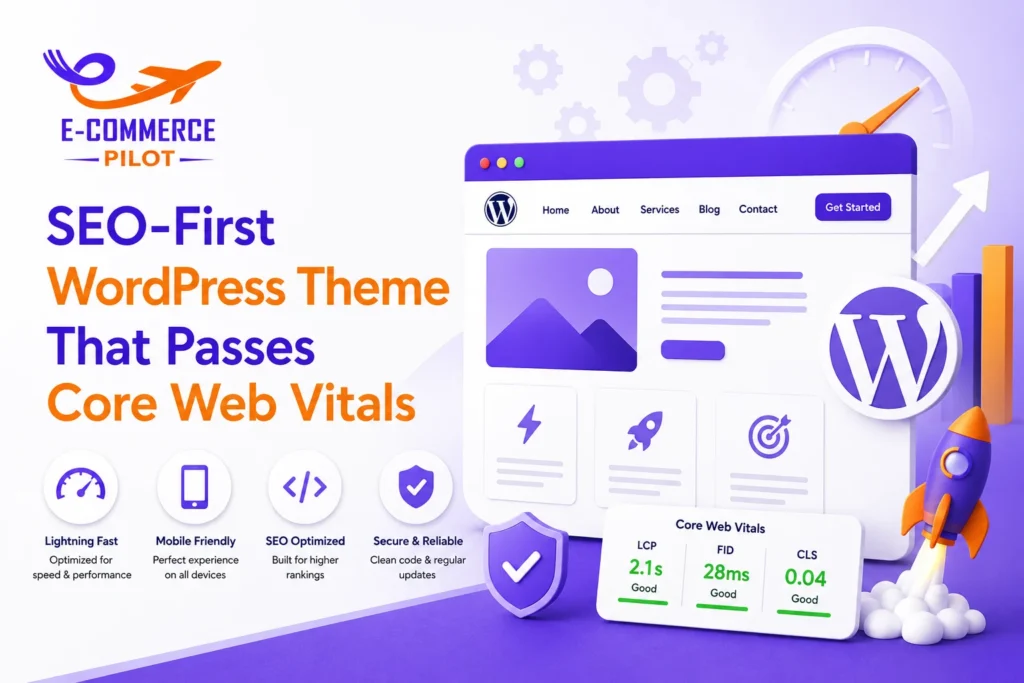
An SEO-First WordPress Theme helps search engines crawl your site easily while giving users a fast and smooth browsing experience. Today, website speed, usability, and mobile performance affect rankings more than ever. Therefore, developers must build themes that meet Google’s Core Web Vitals standards from the start. Moreover, a well-coded theme reduces loading delays, improves navigation, and supports better visibility in search results.
Instead of fixing performance problems later, it is better to include SEO and speed best practices during development. As a result, your website remains competitive, user-friendly, and ready for future algorithm updates.
What Is an SEO-First WordPress Theme?
An SEO-first theme focuses on clean code, fast loading, and search engine accessibility. It helps search engines understand content while providing a smooth experience for visitors.
Key Features of an SEO-Friendly WordPress Theme
A good theme includes semantic HTML, responsive layouts, optimized assets, and proper heading structures. In addition, it supports schema markup and mobile usability.
How SEO-First Design Impacts Search Rankings
Search engines prefer websites that load quickly and provide a positive user experience. Therefore, a fast and organized theme can support better rankings over time.
Understanding Core Web Vitals for WordPress Themes
Core Web Vitals measure real-world user experience. Google uses these metrics to evaluate page performance.
Largest Contentful Paint (LCP)
LCP measures how quickly the largest visible element loads. Ideally, this should occur within 2.5 seconds.
Interaction to Next Paint (INP)
INP evaluates how fast a page responds to user actions. Lower response times lead to better usability.
Cumulative Layout Shift (CLS)
CLS measures unexpected movement of page elements. Stable layouts create a more pleasant browsing experience.
Planning an SEO-First WordPress Theme Architecture
A solid foundation helps avoid performance issues later.
Choosing a Lightweight Theme Structure
Keep files small and organized. Also, remove unnecessary features that add extra weight.
Creating a Logical Content Hierarchy
Use clear heading levels and organized page structures. Consequently, search engines can understand content more efficiently.
Mobile-First Theme Planning
Most users browse on mobile devices. Therefore, design and test mobile layouts before desktop versions.
Build a Lightweight WordPress Theme for Better SEO Performance
Theme size directly affects loading speed.
Remove Unnecessary Features and Dependencies
Avoid including large frameworks unless they are truly required. Instead, use only essential functionality.
Use Minimal CSS and JavaScript
Smaller files load faster. Furthermore, they reduce browser processing time.
Reduce HTTP Requests
Combine files where possible. As a result, browsers make fewer server requests.
Optimize Core Web Vitals with Efficient Theme Coding
Code quality plays a major role in performance.
Write Clean and Valid HTML5 Markup
Semantic HTML improves accessibility and search engine understanding.
Load Assets Conditionally
Load scripts only when needed. Therefore, pages stay lighter and faster.
Minimize Render-Blocking Resources
Move non-critical scripts to the footer and defer JavaScript when appropriate.
Improve Largest Contentful Paint (LCP) in Your WordPress Theme
LCP is often the biggest performance challenge.
Optimize Hero Images
Compress large images before uploading. Additionally, use modern formats such as WebP.
Preload Critical Assets
Preloading important resources helps browsers display content faster.
Prioritize Above-the-Fold Content
Display important content first. Consequently, visitors see useful information sooner.
Reduce Interaction to Next Paint (INP) for Faster User Interactions
Fast interaction improves user satisfaction.
Minimize JavaScript Execution
Remove unused scripts and reduce heavy tasks.
Defer Non-Critical Scripts
Load secondary scripts after the main content appears.
Optimize Event Handlers
Use efficient event listeners. Therefore, user actions receive faster responses.
Prevent Cumulative Layout Shift (CLS) in WordPress Themes
Unexpected layout movement frustrates users.
Set Image Dimensions Properly
Always define width and height attributes for images.
Reserve Space for Ads and Embeds
Allocate space before content loads. As a result, page elements remain stable.
Handle Web Fonts Correctly
Use font-display settings to reduce layout movement during font loading.
Implement Technical SEO Best Practices
Technical SEO should be part of every theme.
Create Proper Heading Structure
Use one H1 heading and organize content logically with H2 and H3 headings.
Use Semantic HTML Elements
Use header, nav, main, article, and footer tags. Therefore, search engines understand page structure better.
Build SEO-Friendly Navigation
Keep menus simple and easy to crawl.
Mobile-First WordPress Theme Development for SEO
Mobile usability directly affects rankings.
Responsive Layout Best Practices
Design layouts that adjust naturally across different screen sizes.
Mobile Navigation Optimization
Use clear menus and touch-friendly navigation elements.
Touch-Friendly Design Elements
Buttons should be easy to tap. Moreover, spacing should prevent accidental clicks.
Optimize Images and Media for Core Web Vitals
Media files often create performance problems.
Use Responsive Images
Serve different image sizes based on device screens.
Implement Lazy Loading Correctly
Load images only when users scroll near them.
Compress Images Without Losing Quality
Compression reduces file size while maintaining visual quality.
Advanced Schema Markup Integration
Structured data helps search engines understand content.
Essential Schema Types for WordPress
Article, FAQ, Breadcrumb, and Organization schema are commonly used.
Adding JSON-LD Markup
JSON-LD is Google’s preferred structured data format.
Testing Structured Data
Always validate schema before publishing.
Improve WordPress Theme Accessibility for Better SEO
Accessibility benefits both users and search engines.
Keyboard Navigation Support
Visitors should navigate pages without a mouse.
Proper ARIA Labels
Labels help assistive technologies understand page elements.
Color Contrast and Readability
Text should remain easy to read on all devices.
Optimize CSS and JavaScript for Faster Core Web Vitals Scores
Efficient assets improve overall performance.
Critical CSS Implementation
Load essential styles first. Meanwhile, defer non-essential styles.
Minify CSS and JavaScript
Remove unnecessary spaces and comments from files.
Remove Unused Code
Unused assets increase loading times and should be eliminated.
WordPress Theme Security Best Practices
Security supports long-term website stability.
Secure Coding Standards
Follow WordPress coding standards consistently.
Prevent Common Vulnerabilities
Sanitize inputs and validate data properly.
Keep Theme Files Updated
Regular updates reduce security risks and compatibility issues.
Test Your SEO-First WordPress Theme for Core Web Vitals
Testing identifies weaknesses before launch.
Using Google PageSpeed Insights
Analyze performance and receive actionable recommendations.
Using Lighthouse Audits
Review accessibility, SEO, and speed metrics.
Monitoring Real User Metrics
Track actual visitor performance data for ongoing improvements.
Common Mistakes That Hurt Core Web Vitals
Many developers unknowingly slow down their themes.
Excessive Plugin Dependence
Too many plugins increase page weight and complexity.
Large CSS Frameworks
Heavy frameworks often contain unnecessary code.
Poor Image Handling
Unoptimized images remain one of the most common speed issues.
Ignoring Mobile Optimization
Mobile users represent a large portion of website traffic.
SEO-First WordPress Theme Development Checklist
Before launching, verify every important area.
Technical SEO Checklist
- Semantic HTML
- Clean URLs
- Proper heading structure
- XML sitemap compatibility
Core Web Vitals Checklist
- Fast LCP
- Low INP
- Stable CLS
Mobile Optimization Checklist
- Responsive design
- Mobile-friendly navigation
- Touch-friendly buttons
Performance Optimization Checklist
- Compressed images
- Minified assets
- Lazy loading enabled
Conclusion
Building an SEO-First WordPress Theme requires careful planning, clean coding, and ongoing testing. Moreover, focusing on Core Web Vitals from the beginning helps improve speed, usability, and search visibility. When developers follow best practices for performance, mobile responsiveness, technical SEO, and accessibility, they create websites that serve both users and search engines effectively. As a result, an SEO-First WordPress Theme can support stronger rankings and better long-term growth.
Need a high-performance SEO-First WordPress Theme? Let our experts build a fast, search-friendly theme that helps your website rank and convert better.